Role-based staff operations manual

Step-by-step workspace guide for every team role

Pick your daily role track to inspect real workspace screenshots, click numbered pins ① ② ③ to locate exact buttons, and jump straight into the live screen.

Reception · Cashier · Floor staff: Run 2-tap counter checkout, manage unit status maps, scan QR check-in passes, and update daily catalog items.

getding.io/dashboard?tab=orders
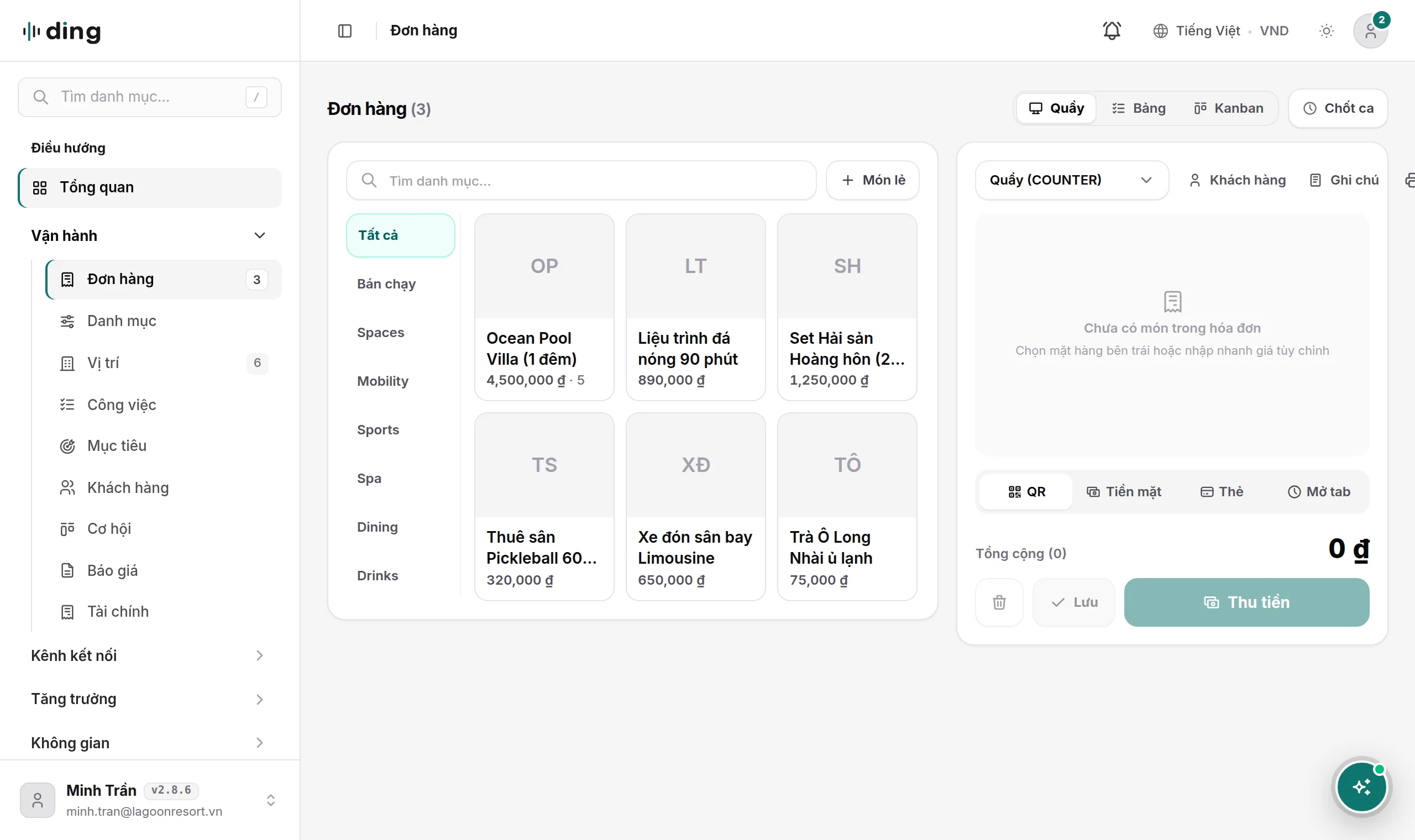
Run counter checkout and open-tab orders
1Open counter terminal
Operational safeguard: When guests return unopened drinks or modify an active tab before checkout, use Open-tab audit or reason-logged Void so shift reconciliation stays 100% traceable.
Cashier · Reception30 sec

Run counter checkout and open-tab orders

Create walk-in orders in 2 taps, keep open tabs running for occupied rooms, tables, or courts, append mid-visit add-ons, and settle via QR, card, or cash.
Open screen
getding.io/dashboard?tab=units
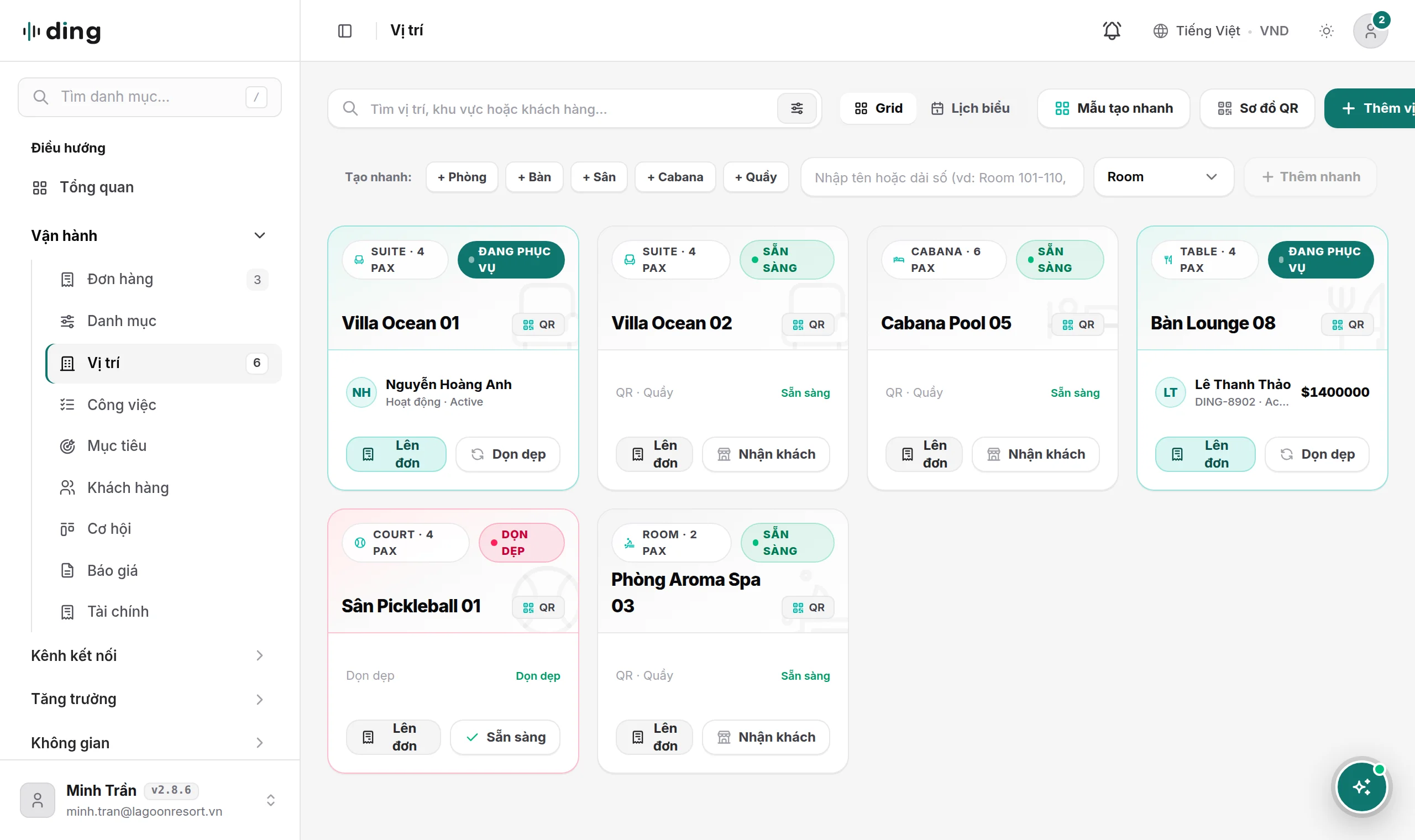
Manage unit status maps and print spot QR codes
1Open units view
Operational safeguard: Every DING OS plan includes unlimited QR spots at zero extra fee; create dedicated QR links for reception desks, poolside loungers, or social profiles to track channel attribution.
Reception · Coordinator1 min

Manage unit status maps and print spot QR codes

Track live availability across rooms, tables, courts, booths, or vehicles and download unit-locked QR codes for zero-commission guest self-ordering.

Open screen
getding.io/check-in
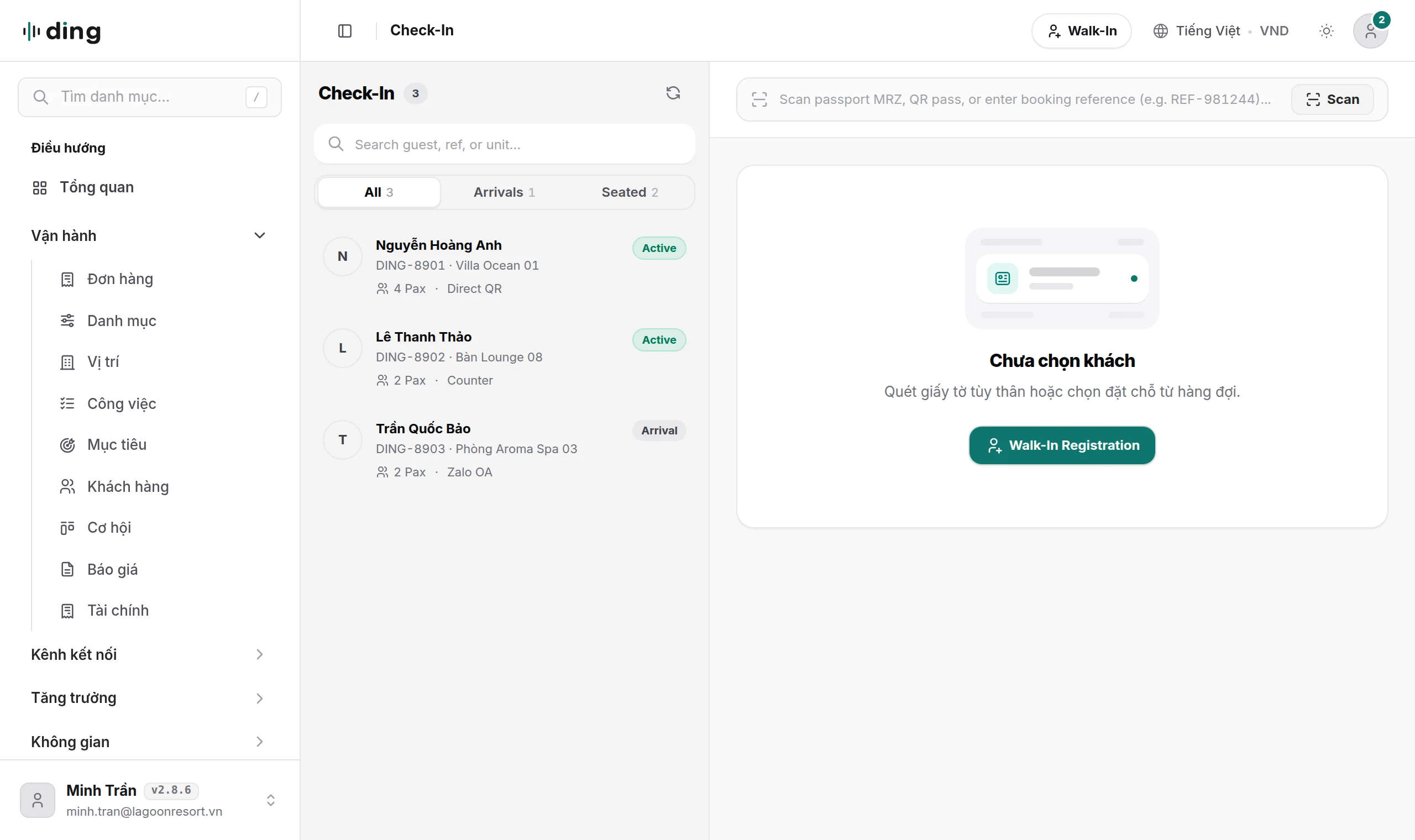
Scan guest QR passes and run self-service kiosks
1Camera QR viewport
Operational safeguard: During peak queues, open the Kiosk view on a counter tablet so walk-in guests can browse items, pay via QR, and receive an order number automatically.
Reception · Gate staff15 sec

Scan guest QR passes and run self-service kiosks

Verify e-tickets, appointment bookings, and encrypted vouchers at the entrance using any phone or desk camera without paper manifests.

Open screen
getding.io/dashboard?tab=availability
Configure two-tier catalog items and slot schedules
1Open catalog list
Operational safeguard: Always set a turnaround buffer (such as 15 minutes for room or court reset) on time-slot services so online bookings never collide with back-to-back sessions.
Manager · Operations2 min

Configure two-tier catalog items and slot schedules

Create instant retail or dining items in 15 seconds, or open the deep studio for room rates, appointment buffers, departure routes, and encrypted ticket vaults.

Open screen

Frequently asked questions

Technical and operational reference for venue owners, operations managers, and IT teams.

Both KRs and KPIs use quantitative numbers, which is why teams often confuse them. The difference lies in their purpose: a KPI measures ongoing operational health that you must maintain month after month (for example, keeping room occupancy above 75%, monthly revenue at $50,000, or order cancellation rate below 2%). A Key Result (KR) always lives inside a strategic Objective (OKR) and measures a time-bound breakthrough from baseline X to target Y (for example, growing corporate banquet revenue from $15,000 to $40,000 in Q4). When a healthy KPI suddenly drops and needs a strategic turnaround, it becomes a KR inside an Objective.
Last updated: November 2026Contact support →